
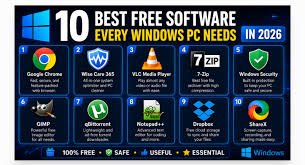
If you have a Windows PC, you may think you need expensive software to get real work done. You don’t. There is an entire ecosystem of free, open-source, and ad-supported tools that are genuinely excellent — in many cases better than the paid alternatives people buy out of habit.
After years of testing, here are the ten free programs I believe every Windows user should install.
1. VLC Media Player — Every list has to start here. VLC plays almost anything you throw at it: videos, audio, discs, even damaged files. No codec packs, no “upgrade to Pro” nag screens, no ads. Just install it and forget it.
2. LibreOffice — When someone says “I need Office,” they usually mean a word processor, spreadsheets, and presentations. LibreOffice gives you all three, along with a database tool, completely free. It opens and saves Microsoft Office files, so you’ll never get a “file format not supported” message from the person you sent it to.
3. Firefox — Chrome is fast, but Firefox is the browser that fights for your privacy. It blocks many trackers by default, uses less memory than Chrome in most sessions, and supports every extension you actually need. If privacy matters to you, this is your browser.
4. ShareX — Windows has a basic screenshot tool, but ShareX is more than that. It takes screenshots, captures scrolling pages, records screen video, and even uploads the result to a link showing it instantly. It’s one of the most powerful free utilities on Windows.
5. 7-Zip — One small program, one huge benefit. 7-Zip opens and creates almost every archive format — ZIP, RAR, 7z, TAR and more. And unlike some competitors, it never nags you to upgrade or shows ads.
6. GIMP — Photoshop is expensive. GIMP is free and does the heavy lifting for most image work: layers, filters, text, retouching, and even some advanced compositing. It takes time to learn, but it’s a genuine alternative for anyone who won’t pay for Photoshop.
7. OBS Studio — If you make videos, stream, or record your screen, OBS is the industry-standard free tool. It records at high quality, lets you set up multiple scenes and sources, and captures both screen and webcam at the same time with no time limit. It’s what many full-time streamers use.
8. Audacity — Simple audio editing is free with Audacity. Record, cut, remove noise, change speed, and export in almost any format. It’s perfect for podcasts, voiceovers, and cleaning up any sound clip.
9. HandBrake — Video files taking up too much space? HandBrake compresses and converts video into smaller formats without a big quality drop. It’s the tool that makes those huge recordings storage-friendly.
10. DaVinci Resolve — The surprise on this list. DaVinci Resolve is a professional-grade video editor used in real film productions, and the free version is shockingly capable. It handles color grading, effects, audio, and multi-track editing. If you’re serious about video, this is where you should start.
Why these matter
The common thread here isn’t just “free.” It’s that each of these tools competed with a paid product and won on quality, not just price. LibreOffice competes with MS Office. GIMP competes with Photoshop. DaVinci Resolve competes with Premiere Pro. In each case, the free version is genuinely professional-grade.
You also avoid the trap of free software that isn’t really free. Some programs charge you in data, ads, or bundled junk. Every tool on this list is either open-source, community-supported, or ad-free at its core. Install from official websites only, and you’re safe.
One thing to remember
Free software rewards patience. GIMP and DaVinci Resolve have learning curves. That’s the trade-off — you save money but spend time learning. Download them, open a few tutorials, and you’ll quickly build skills you can use a whole career. The investment is your attention, not your wallet.
Chahein to main ise aapke YouTube channel ke liye video script me convert kar sakta hoon (hook + 10 sections + CTA), ya is topic par titles score kar sakta hoon. Bataiye? 🎯