
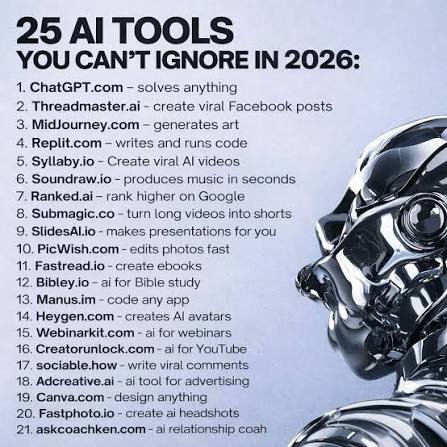
vvArtificial intelligence has become an important part of everyday work, study, business, and content creation. In 2026, AI tools are no longer limited to simple chatbots. They can help write content, research information, create images and videos, analyze documents, build presentations, automate repetitive tasks, and even assist with coding.
With so many AI tools available, choosing the right ones can be difficult. To make things easier, here are 25 must-try AI tools in 2026 that can help you save time and become more productive.
1. ChatGPT
ChatGPT is one of the most versatile AI assistants available. You can use it for brainstorming, writing, summarizing, learning, coding, research, and many everyday tasks.
Whether you need help creating an article, understanding a difficult topic, or organizing ideas, ChatGPT can reduce the amount of time required to complete the task.
Best for: Writing, learning, brainstorming, coding, and general productivity.
2. Claude
Claude is an AI assistant that is particularly useful for long-form writing, document analysis, brainstorming, and complex tasks.
It can help users organize large amounts of information and turn rough ideas into structured content.
Best for: Long documents, writing, analysis, and research.
3. Google Gemini
Google Gemini is Google’s AI assistant and is useful for writing, research, brainstorming, and working with different types of information.
For people already using Google’s ecosystem, Gemini can be especially useful for productivity-related tasks.
Best for: Research, writing, and Google-related workflows.
4. Perplexity
Perplexity combines AI answers with web research and sources. Instead of manually opening dozens of pages, users can ask a question and receive a summarized answer with supporting sources.
This can make research much faster.
Best for: Research, fact-finding, and discovering information.
5. Microsoft Copilot
Microsoft Copilot brings AI capabilities into Microsoft’s productivity ecosystem. It can assist with tasks such as writing, summarizing, analyzing information, and creating content.
Best for: Office productivity and workplace tasks.
6. Grammarly
Grammarly helps improve writing by checking grammar, spelling, clarity, tone, and overall readability.
It can be useful when writing emails, articles, assignments, social media posts, or professional documents.
Best for: Writing and proofreading.
7. Notion AI
Notion AI combines AI assistance with notes, documents, and workspace organization.
You can use it to summarize notes, generate ideas, organize information, and turn rough information into structured content.
Best for: Notes, documentation, and organization.
8. Canva Magic Studio
Canva’s AI-powered features make it easier to create presentations, social media graphics, posters, and other visual content.
Instead of starting every design from scratch, AI can help generate and modify visual content quickly.
Best for: Graphic design, presentations, and social media content.
9. Adobe Firefly
Adobe Firefly provides generative AI features for creative work. It can assist with creating and editing visual content, making it useful for designers and content creators.
Best for: AI-powered image creation and editing.
10. Midjourney
Midjourney is an AI image-generation platform that can turn text descriptions into creative visuals.
It can be useful for concept art, creative projects, illustrations, and visual inspiration.
Best for: AI-generated images and creative artwork.
11. Gamma
Gamma helps users create presentations and other visual documents with AI.
Instead of spending hours designing slides manually, you can start with an idea and let AI help structure the presentation.
Best for: Presentations and visual documents.
12. GitHub Copilot
GitHub Copilot is an AI coding assistant designed to help developers write and understand code.
It can suggest code, help explain programming concepts, and assist developers during software development.
Best for: Programming and software development.
13. Cursor
Cursor is an AI-focused code editor designed to help developers work with code more efficiently.
It can assist with generating, editing, understanding, and debugging code, making it useful for both learning and development workflows.
Best for: AI-assisted programming.
14. Zapier
Zapier helps connect different applications and automate repetitive workflows.
For example, automation can reduce the need to manually move information between different services.
Best for: Automation and repetitive tasks.
15. Otter.ai
Otter.ai can transcribe conversations and meetings and turn spoken information into searchable notes.
This can save time for people who would otherwise need to manually write meeting notes.
Best for: Transcription and meeting notes.
16. Fireflies.ai
Fireflies.ai is designed to help record, transcribe, and summarize meetings.
It can make it easier to review important points without going through an entire meeting recording.
Best for: Meeting summaries and productivity.
17. ElevenLabs
ElevenLabs provides AI-powered voice technology that can turn written text into natural-sounding speech.
It can be useful for creators working on narration, educational content, and other audio projects.
Best for: AI voice and audio production.
18. Runway
Runway offers AI-powered tools for video creation and editing.
Creators can use AI to experiment with video generation, effects, and other creative workflows.
Best for: Video creation and editing.
19. Synthesia
Synthesia focuses on AI-generated videos featuring virtual presenters.
It can help businesses and creators produce instructional, training, and presentation-style videos without traditional video production.
Best for: Training and presentation videos.
20. Copy.ai
Copy.ai is designed to help with marketing and business content.
It can assist with creating drafts for marketing campaigns, sales communication, and other business-related content.
Best for: Marketing and sales content.
21. Jasper
Jasper is an AI platform focused heavily on marketing and content creation.
It can help teams generate content ideas, drafts, and marketing materials while maintaining a consistent brand voice.
Best for: Marketing and content teams.
22. NotebookLM
NotebookLM is useful for working with information from provided sources. It can help users understand, summarize, and explore documents and notes.
This can be particularly useful when studying or researching a specific collection of material.
Best for: Studying, research, and document analysis.
23. ClickUp AI
ClickUp combines project management with AI features. AI can help teams summarize information, create content, organize tasks, and work more efficiently.
Best for: Project management and team productivity.
24. Motion
Motion focuses on planning, scheduling, and organizing tasks.
AI-assisted scheduling can help users structure their workday and prioritize tasks instead of manually organizing everything.
Best for: Planning and time management.
25. Figma AI
Figma is widely used for interface and product design, and its AI capabilities can help designers speed up parts of the design process.
It can be useful for brainstorming, creating design concepts, and working on digital products.
Best for: UI/UX design and digital product development.
Why AI Tools Can Save You Time
The biggest advantage of AI productivity tools is that they can reduce repetitive work. Tasks such as drafting text, summarizing documents, organizing notes, researching topics, creating presentations, and transcribing meetings can often be completed much faster with AI assistance.
Recent 2026 productivity-tool reviews show that AI is increasingly being integrated into writing, research, coding, design, meetings, scheduling, and automation workflows.
However, AI should be treated as an assistant rather than an automatic replacement for human judgment. Important information should still be reviewed, especially when accuracy matters.
How to Choose the Right AI Tool
You don’t need to use all 25 tools. The best approach is to choose tools based on the tasks you actually perform.
For example:
- Writing: ChatGPT, Claude, Grammarly
- Research: Perplexity, Gemini, NotebookLM
- Design: Canva, Adobe Firefly, Midjourney
- Coding: GitHub Copilot, Cursor
- Meetings: Otter.ai, Fireflies.ai
- Automation: Zapier
- Presentations: Gamma, Canva
- Planning: Motion, ClickUp AI
- Video: Runway, Synthesia
- Voice: ElevenLabs
Final Thoughts
AI tools in 2026 can make everyday tasks faster, easier, and more organized. From writing and research to coding, design, meetings, and automation, there is now an AI solution for almost every type of digital work.
The key is not to use every AI tool available. Instead, find a few tools that fit your workflow and learn how to use them effectively. With the right combination, AI can help you spend less time on repetitive tasks and more time on creative and important work.
Which AI tool would you try first?