
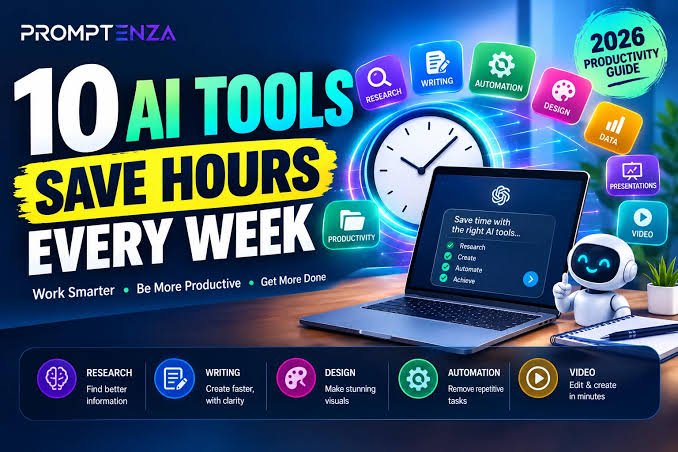
Artificial intelligence has become one of the easiest ways to save time, automate repetitive tasks, improve productivity, and create better content. In 2026, AI tools are no longer limited to simple chatbots. They can help with writing, research, meetings, project management, design, coding, scheduling, automation, and everyday tasks.
With hundreds of AI applications available today, finding the right tools can be challenging. That is why we have put together this list of the 25 best AI tools in 2026 that can help you work smarter, save time, and get more done.
Whether you are a student, content creator, freelancer, marketer, developer, business owner, or professional, there is likely an AI tool on this list that can improve your daily workflow.
What Are AI Productivity Tools?
AI productivity tools use artificial intelligence to help users complete tasks faster and more efficiently. They can generate content, summarize information, organize notes, analyze documents, automate workflows, transcribe meetings, create images, and assist with research.
Recent 2026 productivity-tool roundups show that AI is increasingly being used across writing, research, scheduling, meetings, automation, project management, and creative work.
25 Best AI Tools in 2026
1. ChatGPT – Best All-Purpose AI Assistant
ChatGPT is one of the most versatile AI tools available in 2026. It can help users write articles, brainstorm ideas, summarize information, analyze files, generate content, explain difficult topics, and assist with many everyday tasks.
Best for: Writing, brainstorming, research, learning, coding, and general productivity.
2. Claude – Best for Writing and Deep Work
Claude is particularly useful for long-form writing, analysis, document work, and complex tasks. It can help organize ideas, improve drafts, summarize lengthy information, and assist with detailed reasoning.
Best for: Long-form writing, analysis, documents, and research.
3. Google Gemini – Best for Google Users
Google Gemini is Google’s AI assistant and is useful for writing, brainstorming, research, and working with information across Google’s ecosystem.
Best for: Research, writing, brainstorming, and Google Workspace users.
4. Microsoft Copilot – Best for Microsoft 365
Microsoft Copilot brings AI assistance into Microsoft’s ecosystem. It can help users work with documents, emails, presentations, spreadsheets, and other productivity tasks.
Best for: Microsoft 365 users and workplace productivity.
5. Perplexity – Best for AI Research
Perplexity is designed for answering questions and researching topics while providing sources. It can be useful when you want a quick overview of a subject and want to explore supporting information.
Best for: Research, fact-finding, and source-based answers.
6. Notion AI – Best for Notes and Knowledge Management
Notion AI combines AI features with notes, documents, databases, and project organization. It can help summarize notes, generate ideas, organize information, and improve written content.
Best for: Notes, documentation, project organization, and knowledge management.
7. Grammarly – Best for Writing Improvement
Grammarly uses AI to help improve writing, grammar, clarity, tone, and communication. It can be especially useful for emails, articles, assignments, and professional documents.
Best for: Grammar, editing, rewriting, and professional communication.
8. Canva AI – Best for Design
Canva has integrated AI-powered features that make graphic design easier. Users can create and edit visual content without needing advanced design skills.
Best for: Social media graphics, presentations, posters, and visual content.
9. Zapier – Best for Automation
Zapier helps connect different applications and automate repetitive workflows. Its AI capabilities can make it easier to create and manage automated processes.
Best for: Workflow automation and connecting different apps.
10. Otter.ai – Best for Meeting Transcription
Otter.ai can record and transcribe conversations and meetings, helping users turn spoken discussions into searchable notes.
Best for: Meetings, interviews, lectures, and transcription.
11. Fireflies.ai – Best for Meeting Notes
Fireflies.ai is another useful AI meeting assistant. It can help capture conversations, generate summaries, and organize meeting information.
Best for: Meeting notes, summaries, and team collaboration.
12. Descript – Best for AI Video and Audio Editing
Descript combines video and audio editing with AI-powered features. Its text-based editing approach can make editing recordings much easier.
Best for: Podcasts, videos, screen recordings, and content creators.
13. GitHub Copilot – Best for Coding
GitHub Copilot is designed to assist developers with coding. It can suggest code, explain programming concepts, and help developers work more efficiently.
Best for: Software development and programming.
14. Cursor – Best AI Coding Editor
Cursor is an AI-powered code editor designed to help developers write, understand, and modify code. It can be useful when working on larger programming projects.
Best for: Coding, debugging, and software development.
15. Jasper – Best for Marketing Content
Jasper focuses heavily on marketing and business content. It can help create drafts for campaigns, blog content, marketing copy, and other forms of business communication.
Best for: Marketing teams, copywriting, and content creation.
16. ClickUp – Best for AI Project Management
ClickUp combines task management, project planning, documents, and AI features in one workspace.
Best for: Project management, task organization, and team productivity.
17. Asana – Best for Team Workflows
Asana is a popular project-management platform that incorporates AI features to help teams organize tasks and workflows.
Best for: Team projects, task management, and workflow planning.
18. Motion – Best for AI Scheduling
Motion focuses on automatically organizing tasks and schedules. It can help users plan their day around deadlines, meetings, and priorities.
Best for: Scheduling, task planning, and time management.
19. Reclaim AI – Best for Calendar Management
Reclaim AI helps users manage calendars and automatically find time for tasks, habits, and meetings.
Best for: Calendar management, scheduling, and time blocking.
20. Speechify – Best for AI Text-to-Speech
Speechify can convert written content into spoken audio. This can be useful for listening to documents, articles, or study material.
Best for: Text-to-speech, accessibility, and learning.
21. NotebookLM – Best for Working With Your Sources
NotebookLM is designed to help users understand and interact with their own source material. It can be useful for studying, research, summarization, and organizing information.
Best for: Research, study notes, and document analysis.
22. Midjourney – Best for AI Images
Midjourney is a popular AI image-generation platform that can create imaginative visuals from text prompts.
Best for: Creative images, concepts, artwork, and visual inspiration.
23. Runway – Best for AI Video Creation
Runway provides AI-powered tools for creating and editing video content. It can be useful for creators who want to experiment with AI-assisted video production.
Best for: Video creation, editing, and creative projects.
24. Make – Best for Advanced Automation
Make is a visual automation platform that allows users to connect applications and build automated workflows.
Best for: Advanced automation, integrations, and business workflows.
25. CapCut – Best for Easy AI Video Editing
CapCut provides a range of video-editing features and AI-assisted tools that can help creators produce short-form and social media videos more efficiently.
Best for: Social media videos, short-form content, and easy video editing.
Quick Comparison of the 25 Best AI Tools
| AI Tool | Best For |
|---|---|
| ChatGPT | General AI assistance |
| Claude | Writing & deep work |
| Google Gemini | Research & Google ecosystem |
| Microsoft Copilot | Microsoft 365 productivity |
| Perplexity | AI research |
| Notion AI | Notes & knowledge management |
| Grammarly | Writing & editing |
| Canva AI | Graphic design |
| Zapier | Automation |
| Otter.ai | Meeting transcription |
| Fireflies.ai | Meeting notes |
| Descript | Video & audio editing |
| GitHub Copilot | Coding |
| Cursor | AI-assisted development |
| Jasper | Marketing content |
| ClickUp | Project management |
| Asana | Team workflows |
| Motion | Scheduling |
| Reclaim AI | Calendar management |
| Speechify | Text-to-speech |
| NotebookLM | Source-based research |
| Midjourney | AI image generation |
| Runway | AI video |
| Make | Advanced automation |
| CapCut | Video editing |
How AI Tools Can Save You Time
The biggest advantage of AI productivity tools is that they can reduce the amount of time spent on repetitive tasks.
For example, instead of manually creating meeting notes, an AI meeting assistant can generate a transcript and summary. Instead of starting an article from a blank page, an AI writing assistant can help create an outline and first draft.
AI tools can also help with:
- Writing and editing
- Research and summarization
- Email drafting
- Meeting notes
- Project management
- Calendar scheduling
- Graphic design
- Video editing
- Coding
- Workflow automation
- Brainstorming
- Data and document analysis
However, AI works best as an assistant rather than a complete replacement for human judgment. Recent commentary from AI productivity experts emphasizes that knowing when to use AI—and when to do the work yourself—is an important productivity skill.
How to Choose the Best AI Tool
You do not need to use all 25 tools. The best approach is to choose tools based on the tasks you actually perform.
For Writing
Consider ChatGPT, Claude, or Grammarly.
For Research
Consider Perplexity or NotebookLM.
For Design
Consider Canva AI or Midjourney.
For Video
Consider Runway, Descript, or CapCut.
For Coding
Consider GitHub Copilot or Cursor.
For Automation
Consider Zapier or Make.
For Meetings
Consider Otter.ai or Fireflies.ai.
For Productivity and Planning
Consider Notion AI, ClickUp, Motion, or Reclaim AI.
Final Thoughts
AI tools in 2026 can make everyday work faster, easier, and more organized. From writing and research to design, coding, meetings, scheduling, and automation, there is now an AI solution for almost every type of digital task.
The best AI tool depends on your specific needs. You do not need dozens of subscriptions or complicated software. Start with one or two tools that solve your biggest productivity problems, learn how to use them effectively, and expand your toolkit only when necessary.
The goal is not simply to use more AI. The goal is to work smarter, save time, and spend more of your energy on tasks that require creativity, judgment, and human thinking.